THIS PROGRAM IS OFFERED TO GRADES 1 – 2. See below for details.
October 1 - December 3, 2026 (9 lessons)
Every Thursday, 4:00pm -5:30pm
* Please note there are no lessons on September 24 (Parent Information Night) and November 5 (PD Day).
$TBA
We introduce students to computational thinking, coding, and introductory AI concepts through hands-on building and problem-solving. The LEGO Education Computer Science & AI Kit is organized into six units: Basics, Hardware, Events, Sequences, Loops, and AI Kit; Data. Students work collaboratively while learning coding concepts through the LEGO Coding Canvas.
The student needs to have his/her iPad to download the program software. WeDo 2.0 Lego Education App (found in the app store for free)
DOWNLOAD LINK: https://education.lego.com/en-us/downloads/retiredproducts/wedo/software/
Program Overview
Lesson 1 : Teamwork and Building Together : Students will learn how to work collaboratively and follow building instructions by completing a simple building challenge in groups.
Lesson 2 : Breaking Problems into Smaller Steps : Students will decompose a large task into smaller steps by building a simple model.
Lesson 3 : Exploring Hardware : To identify hardware components and explain their purpose. Students explore Color sensor and Motor by completing an Input/Output chart.
Lesson 4 : Events – Cause and Effect : Students will understand that events start action by discussing everyday events. Student will program an action to move by pressing a button and make a sound by showing a color.
Lesson 5 : Event Challenge : Students will design a model that responds to multiple events such as traffic light, security gate, and smart pet.
Lesson 6 : Introduction to Sequences : Students will create and test simple sequences by programming a model to move forward, stop, and make sound.
Lesson 7 : Quack the Code : Students will program a sequence to solve a problem by programming a model to move forward, stop, and make a sound.
Lesson 8 : Loops – Repeating Actions : Students will use loops to repeat actions by coding a model to move forward repeatedly and make repeating sounds.
Lesson 9 : Final Design Challenge : Each team will create their own project from learning how to model works correctly, explain their code, and team collaborates effectively.
_________________________________________
IMPORTANT: Please review PCA’s Extra-Curricular Programs Policy BEFORE registering.
To avoid any scheduling conflicts, here is the TIMETABLE at-a-glance.
THIS PROGRAM IS OFFERED TO GRADES 1 – 2. See below for details.
October 1 - December 3, 2026 (9 lessons)
Every Thursday, 4:00pm -5:30pm
* Please note there are no lessons on September 24 (Parent Information Night) and November 5 (PD Day).
$TBA
We introduce students to computational thinking, coding, and introductory AI concepts through hands-on building and problem-solving. The LEGO Education Computer Science & AI Kit is organized into six units: Basics, Hardware, Events, Sequences, Loops, and AI Kit; Data. Students work collaboratively while learning coding concepts through the LEGO Coding Canvas.
The student needs to have his/her iPad to download the program software. WeDo 2.0 Lego Education App (found in the app store for free)
DOWNLOAD LINK: https://education.lego.com/en-us/downloads/retiredproducts/wedo/software/
Program Overview
Lesson 1 : Teamwork and Building Together : Students will learn how to work collaboratively and follow building instructions by completing a simple building challenge in groups.
Lesson 2 : Breaking Problems into Smaller Steps : Students will decompose a large task into smaller steps by building a simple model.
Lesson 3 : Exploring Hardware : To identify hardware components and explain their purpose. Students explore Color sensor and Motor by completing an Input/Output chart.
Lesson 4 : Events – Cause and Effect : Students will understand that events start action by discussing everyday events. Student will program an action to move by pressing a button and make a sound by showing a color.
Lesson 5 : Event Challenge : Students will design a model that responds to multiple events such as traffic light, security gate, and smart pet.
Lesson 6 : Introduction to Sequences : Students will create and test simple sequences by programming a model to move forward, stop, and make sound.
Lesson 7 : Quack the Code : Students will program a sequence to solve a problem by programming a model to move forward, stop, and make a sound.
Lesson 8 : Loops – Repeating Actions : Students will use loops to repeat actions by coding a model to move forward repeatedly and make repeating sounds.
Lesson 9 : Final Design Challenge : Each team will create their own project from learning how to model works correctly, explain their code, and team collaborates effectively.
_________________________________________
IMPORTANT: Please review PCA’s Extra-Curricular Programs Policy BEFORE registering.
To avoid any scheduling conflicts, here is the TIMETABLE at-a-glance.

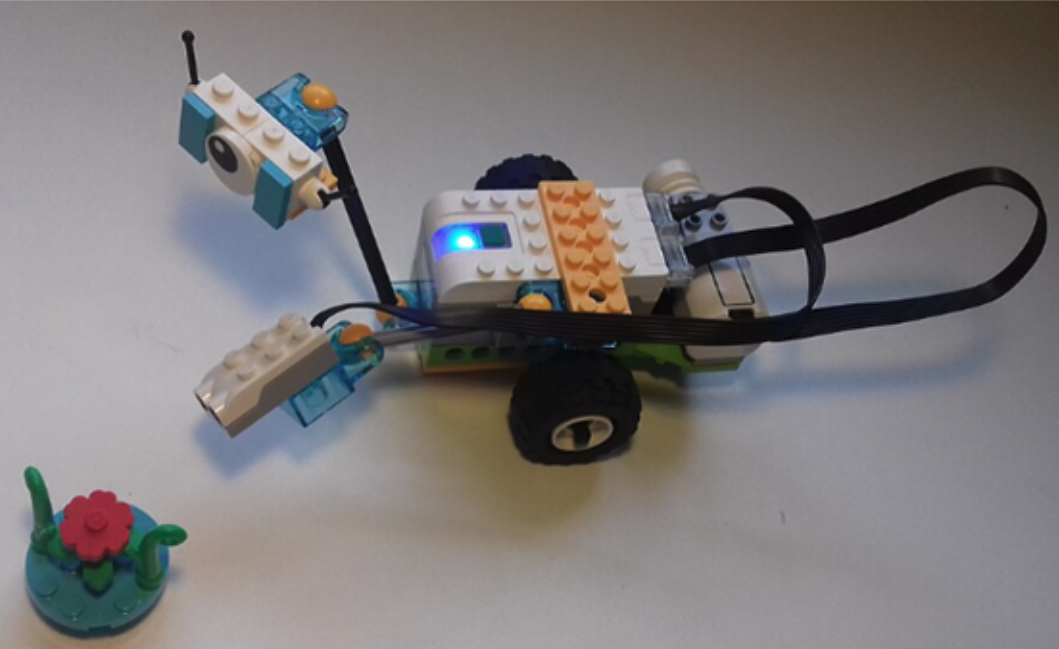 Image 1 of 1